


🎯 Objective
This guide walks you through the automated analysis of a contract using Ugosign's artificial intelligence. This feature allows you to quickly extract key clauses, identify potential risks, and summarize legal content.
📝 Prerequisites
Before starting, ensure you meet the following conditions:
- Have activated the AI module in your configuration space.
- Have a contract ready to be analyzed (PDF or dynamic contract).
⚠️
PDF Document: Ensure the document is readable and complete to obtain an optimal analysis.
📍 Steps
- Access your document management space.
- Select the contract you wish to analyze.
- Click on the Enhance with AI option.
- The AI processes the document. This operation may take a few moments depending on the file size.
- Review the generated report which highlights numerous points:
- Detection of sensitive clauses;
- Assessment of legal clarity level;
- Analysis of contractual obligations;
- Identification of ambiguous phrasing;
- Comparison with standard templates;
- Optimization of writing structure;
- Verification of overall consistency;
- Assessment of legal risks;
- Improvement suggestions;
- Tone and style harmonization;
- GDPR compliance verification;
- Analysis of rights and responsibilities;
- Reduction of contractual redundancies;
- Generation of personalized recommendations.
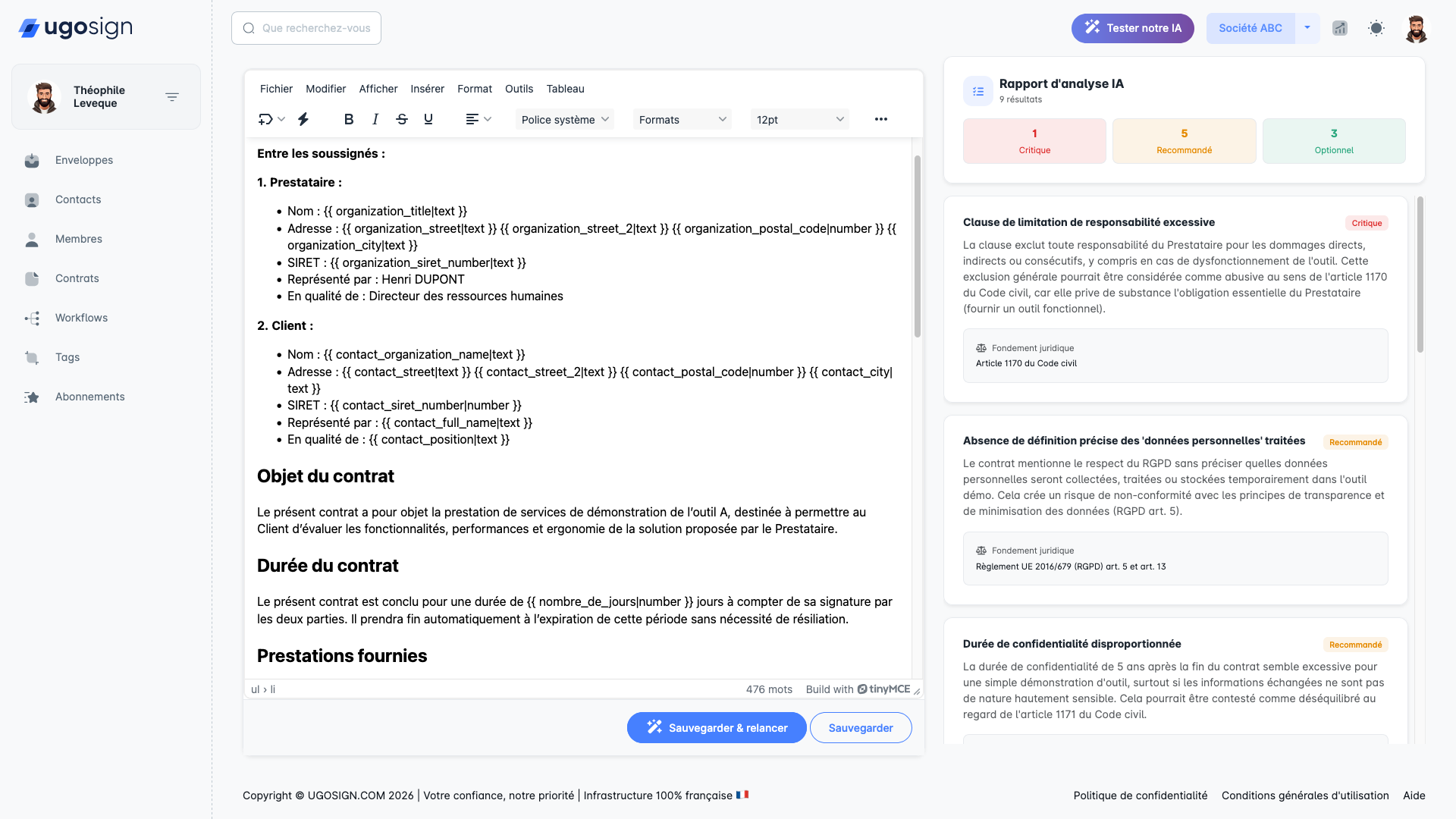
✅ Expected Result
At the end of this procedure, you will obtain a structured summary of your contract with a highlight of important legal elements, allowing you to save valuable time in your document review.
💡 Good to know
💡
AI analysis is a decision support tool. It does not replace the advice of a legal professional. Always verify critical interpretations.
- The analysis works on both native (dynamic) contracts and imported PDFs.
- You can export the analysis report in PDF format or share it with your collaborators.
🔗 Associated Resources
0
person likes this article
Last update : 27 March 2026
Share this article: https://app.ugosign.com/help-center/topic/analysing-contract-ai